enero 25, 2026



 Escrito por Guardián
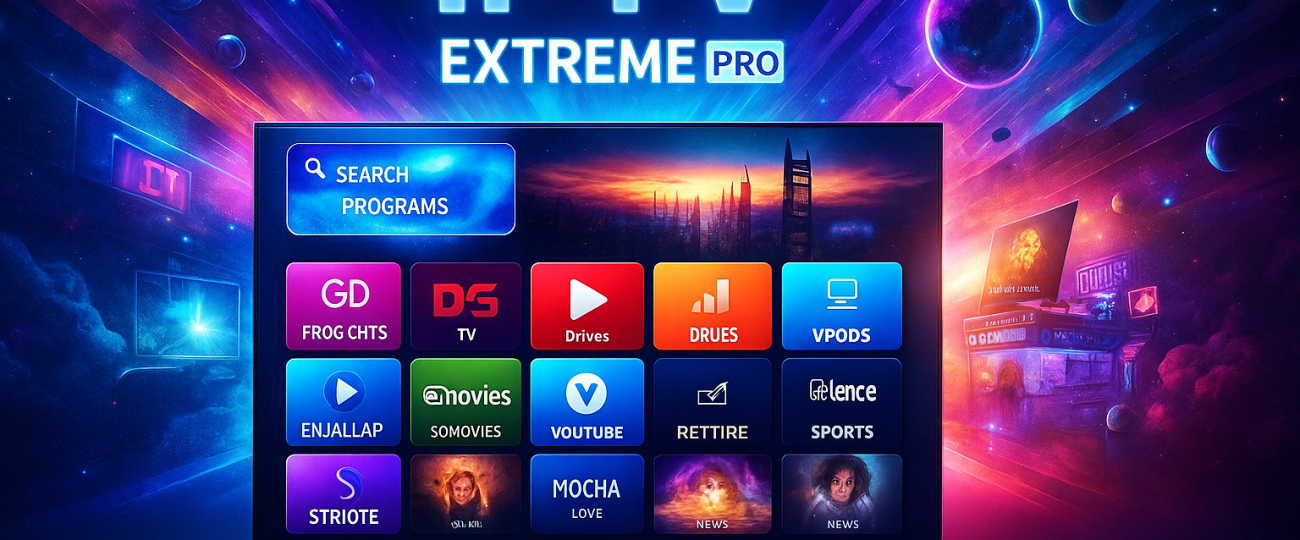
 When it comes to streaming live TV and on-demand content, apps like IPTV Extreme Pro have become popular with Android TV box and Firestick users across the UK. It isn’t a service that sells channels itself. Instead, it’s a powerful media player that lets you organise and play IPTV playlists from whichever provider you choose.
We’ll walk through what IPTV Extreme Pro does, how to set it up, why people use it, and what to watch out for if you’re in the UK. Along the way, we’ll also look at alternatives like GuardianTV, a provider many users pair with IPTV Extreme Pro for a smoother experience.
Unlike free IPTV apps that just play a single stream, IPTV Extreme Pro is designed as a full-featured IPTV player. Once you install it on your device, you can load in your M3U link or Xtream Codes login (provided by your IPTV subscription). From there, the app handles everything:
organising thousands of live TV channels,
importing Electronic Program Guides (EPG) for a proper TV guide,
showing channel logos and names neatly,
letting you record or download shows to your device,
supporting Chromecast and remote control for big-screen viewing.
This makes it a good option if you already have an IPTV subscription in UK but want an advanced player to manage it.
One reason the app is widely searched for in the UK is because it runs smoothly on devices people already own. Whether it’s an Android phone, an Amazon Firestick, or an Android TV box, IPTV Extreme Pro works across all of them.
That means you can take your subscription from the living room to your phone without losing your playlists. Users in the UK often type “IPTV Extreme Pro Firestick setup” or “IPTV app Android TV UK” when looking for guides, and the process is pretty straightforward once you know your provider’s login details.
Setting up IPTV Extreme Pro in the UK doesn’t take long, but you do need to know where to get your login or playlist. Most IPTV providers, including GuardianTV, will give you either:
An M3U link (a web address that loads your channels), or
An Xtream Codes login (a server URL, username, and password).
Once you have this, you can:
Download IPTV Extreme Pro from the Play Store or a trusted source.
Open the app and paste your M3U link or Xtream login.
Let the app fetch the playlist and EPG guide.
Adjust the playback settings (hardware decoding, buffer size) to suit your internet connection.
After that, you’ll see a proper channel list with an EPG guide, catch-up support, and even the option to record shows if your device has storage.
There are hundreds of IPTV players on the market, but IPTV Extreme Pro stands out for a few reasons:
Flexibility – you’re not tied to one provider’s app. You can switch playlists easily if you change subscription.
Advanced features – things like recording, downloads, Chromecast and backup aren’t common in every player.
Stable performance – on a strong UK broadband connection, the app plays smoothly with fewer playback errors compared to basic free players.
That’s why searches like “best IPTV player UK” often include IPTV Extreme Pro as one of the top recommendations.
If you’re in the UK and want both a reliable provider and a good player, some users combine IPTV Extreme Pro with subscriptions from providers like GuardianTV.
GuardianTV markets itself as UK-focused, offering premium IPTV servers with thousands of channels, movies, and series. When paired with IPTV Extreme Pro, you get the best of both worlds: GuardianTV supplies the content, while Extreme Pro gives you control over playback, recording, and organisation.
Instead of relying on a provider’s custom app, which can be limited, this combination gives UK users more flexibility and a smoother experience.
Even with the best IPTV player, performance depends heavily on your internet connection. To get the most out of IPTV Extreme Pro in the UK:
Use a wired Ethernet connection if you’re on a set-top box.
Choose hardware decoding in settings for smoother playback.
Adjust buffer size if you see frequent pauses.
Make sure your provider gives you a UK-based server for lower latency (GuardianTV, for example, highlights this).
These small adjustments can mean the difference between constant buffering and a stable stream.
It’s important to be clear: IPTV Extreme Pro is just a player, but what you load into it matters. Using legal playlists (such as free-to-air channels, or licensed services) is fine. But loading pirated sports or pay-per-view channels without permission is against the law.
In recent years, UK authorities and rights holders have cracked down on illegal IPTV. That includes targeting providers and even blocking apps linked to piracy. To stay safe:
Always download IPTV Extreme Pro from the official Google Play Store.
Avoid “cracked” or modified APKs from random websites — many carry malware.
Choose a provider with transparent pricing and support, rather than suspiciously cheap services that often disappear overnight.
Here are some of the most common reasons users in the UK look up IPTV Extreme Pro:
“IPTV Extreme Pro download UK” – people searching for the safest way to install it.
“How to use IPTV Extreme Pro” – new users looking for setup guides.
“Best IPTV app for Android TV UK” – shoppers comparing players.
“GuardianTV IPTV UK review” – customers checking if GuardianTV works well with it.
These search trends show how UK users often treat Extreme Pro as part of a bigger IPTV setup rather than a standalone solution.
The answer depends on what you’re after:
If you already have an IPTV subscription and want a feature-rich player with recording, Chromecast, and advanced EPG options, it’s a strong choice.
If you prefer an all-in-one app where you just log in and press play, you might find IPTV Extreme Pro too technical. Some providers, including GuardianTV, also offer their own apps for plug-and-play simplicity.
So, if you like control and flexibility, Extreme Pro is worth installing. If you want zero setup, stick with your provider’s custom app.
IPTV Extreme Pro remains one of the best IPTV apps available in the UK for 2025. It’s not a service, but a tool — and like any tool, it depends on how you use it. Paired with a trusted subscription such as GuardianTV, it delivers a premium IPTV experience with the flexibility to manage your content the way you like.
For UK viewers searching terms like “safe IPTV player UK” or “IPTV Extreme Pro Firestick setup,” the app offers a solid solution — as long as you stay on the right side of legality, download it from official sources, and choose a provider that won’t leave you with broken links after a few weeks.
enero 25, 2026
enero 24, 2026
enero 15, 2026
enero 14, 2026

GuardianTV ofrece streaming IPTV fiable y de alta calidad con una amplia gama de canales en directo, películas y contenidos a la carta. Haz streaming de forma más inteligente, en cualquier momento y lugar.
(Obtenga ayuda instantánea a través de WhatsApp)
(para servicio y asistencia al cliente)
© 2026 GuardianTV - All Rights Reserved
📢 Important: Please save our backup domain guardiantv.co.uk